
Start with the maps that matter.
Stage 1 groups and explanations make it easier to understand which calibrations you are looking at.
Explore Stage 1RACE15 Studio / EDC15, evolved.
See how your EDC15 engine works, shape its calibration and follow the result in recorded data. RACE15 Studio brings maps, signals and programming into one Windows workspace.
Windows 10/11 EDC15VM+ and EDC15P+
A connected workflow
Start with a focused map library, then work with the data from your own runs. Explore the workflow at your own pace.
Stage 1 groups and explanations make it easier to understand which calibrations you are looking at.
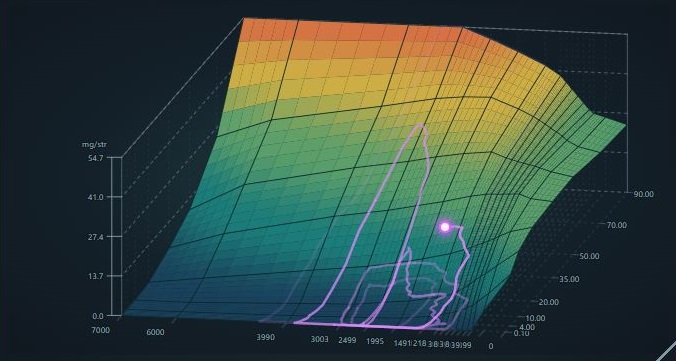
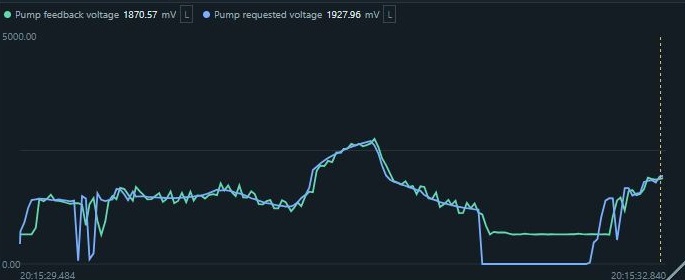
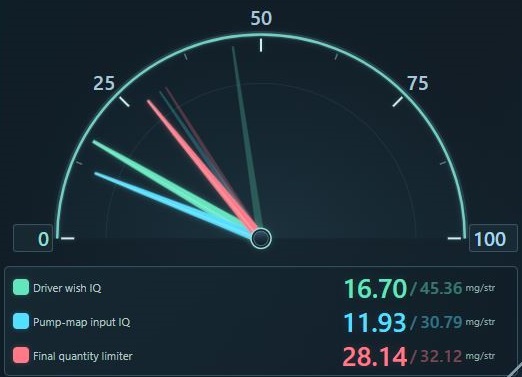
Explore Stage 1Record signals, replay a run and trace supported maps at the operating point you want to investigate.
See recording and replayEdit, compare and restore calibrations, with programming tools for supported RACE15 ECUs.
See the full workflowBuilt for the work
For enthusiasts
Explore the recorded demo without a vehicle. When you move to a supported project, focused map groups help you find a place to begin.
For experienced tuners
Use searchable family libraries, checkpoints and synchronized recordings to make and review changes across your projects.
The platform
RACE15 is a supported EDC15 ECU with the supplied RACE15 bootloader patch installed. RACE15 Studio is the desktop app used to calibrate, record, replay and program it. The recorded Preview demo can be explored without an ECU or adapter.
Check ECU and hardware requirementsYour first step
Preview is free to download. Full licences are planned, but paid orders are not open yet.